Monday, 29 April 2013

Camera angles and shots

We used a range of different camera angles and shots to portray characters from different perspectives, create different atmospheres and to enhance different scenes. 

1


Extreme close up of the villains hand to show a vast amount of detail but not too much to reveal the villains identity. 

2


Point of view shot from the villains perspective, the blurred reflection displayed on the computer screen comes across as chilling and creepy as well as suggesting a sense of  secrecy. This also allows the viewer to have a clearer idea of who the villain is.

3


A medium long shot of the female victim walking allows the viewer to see the majority of her body to catch all of her movement.

4


A close up of the male villains fist shows detail and draws the viewers attention to the hand. The clenching of the fist creates a chilling atmosphere and displays a sense of anger as well as the suggestion of plotting and planning something. 


5


A high angled close up shot was used when the villains hand if hovering over the time table he uses to see where and when the victim will be.  This high angled shot was used to present vulnerability not on his behalf but on the victim’s behalf as the timetable is representing her life routine, which would be personified and representing her.


6


A tracking shot was used as the villain’s hand running across the banister to allow the viewer to follow his movement. 

7
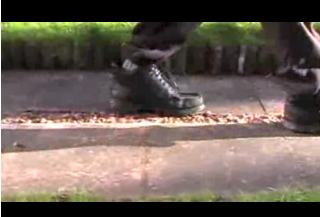


A low angled close up was used to not only focus on the movement of the villain but to show his dominance.

8


An over the shoulder from the villains perspective helps to establish the position of the villain and to show a suggestion of who the villain is but not revealing his whole identity. 


9


An establishing shot used to show the audience the main setting in the opening sequence, we have set the camera on a tripod and used a panning shot to show the main setting. 

Sunday, 28 April 2013

Final cut


This is our final cut of our thriller opening; we have kept many of the original scenes from out rough but also added a range of new ones. we tried to keep as closely as we could to our rough cut but at the same time ensured we added more interesting and effective shots. We used our feedback sheet as a close guidance for our updated cut, we tried to adapt around if not change the points that we made to us which we were told would improve our opening further.

Wednesday, 17 April 2013

Audience Feedback

After viewing our opening scene, the audience said various good points and also things that could be changed or improved.


Positive comments:
  • The reflexion of the villain in the computer has been mentioned a number of times by the audience, expressing that they thought this shot was effective and successful.  
  • It was also said that the closing of the browser which lead to the name of the film appearing on screen was also a really successful shot and was a good end to the credits.
  • A number of people said that it was clear what our story line was through the shots and scenes that we used, this was our main priority when filing so we are pleased that the audience picked this up easily.    
  • Our use of the credits were commented on also, saying they looked really effective as they were actually being wrote on to the screen as the viewer is watching, which was said to be an interesting way to include the credits. 
  • It as mentioned that the opening credits built tension.
  • The first shot used (the extreme close up of the hand on the mouse) was said to be really effective.  
Negative comments:
  • it was suggested that the credits could be speeded up a bit because they were a little slow and would come across better if they were quicker.
  • One viewer said that we had used too many photos.
  • It was said that the ending was too sudden and would be better if it was a little longer.
  • It was suggested more than once that we could include more camera angles as all the ones we have used were quite similar or the same type of angle repeated.
We have noted all of the positive and negative comments made; the negative comments have helped us immensely allowing us to recognize and change or improve that areas that need it. We plan to cut out the shadow that was noticed by  one of the viewers, speed up the credits, cut down the amount of photos we have used, use some more shots to make the opening longer and more in depth and use a larger range of of camera angles.  

Tuesday, 26 March 2013

Tittle ideas

We considered a range of other ideas that we could use for our tittle which would link to our chosen narrative and thriller genre, these included:

Lurking

Shadows
Stalked
Behind closed doors 

All of these names did link to our chosen theme, however after some consideration we felt The Pursuer worked best.

If a person is pursuing someone it means they are trying to overtake, chase or capture them, we felt this gave a clear impression of a stalking figure and felt it had a memorable ring to it. 


Monday, 25 March 2013

Soundtrack

Our opening will include both diegetic and non diegetic sound, the diegetic sound will be made by our various surroundings when we are filming, for example cars, dogs barking and footsteps. Our non-diegetic sound will be created on GarageBand which we planned to use in the very beginning of the opening credits and throughout. We aimed to create quite a fast pace, up tempo music piece to build up tension and anticipation. 


We feel we have created a unique, tension building soundtrack which compliments our opening sequence. We have combined a range of sound clips to create one continuous soundtrack, we feel incorporating a variety of clips to create one music piece is more effective as it gives it a more unique feel instead of using just one music piece which might sound quite boring.  

Editing

The editing process we used to edit our entire opening was the iMovie software available on the apple mac computers; we were new to this software and had never used it before, we were advised to use this software by our media teacher because of previous success with other students that have worked on it.

We chose to edit the majority of our shots clean cut to present realism and to make the scenes believable, we used a few fade to black shots and one dissolving shot at the very end of the opening sequence.

As well as using transitions we also edited some brightness, contrast and speed of our shots to enhance certain scenes and create a separate mood for each.

Sunday, 24 March 2013

Shot list

Here is our chronological ordered list from the beginning to the end of shots we we have used within our opening sequence:

Extreme close up of a hand on a computer mouse
Point of view shot of the computer screen when the Facebook password is being entered 

Point of view shot of the credits being wrote onto the screen
Point of view shot of the computer screen as the user is logging in
Close up of the stalkers reflection in the computer screen

Point of view shot of the credits being wrote onto the screen
Point of view shot of the computer screen as the photo's are being searched through
Point of view shot of the credits being wrote onto the computer screen
Point of view shot of the computer screen as a photo is being saved
Point of view shot of the computer screen as 'Nottingham' is being searched into Google Maps
Point of view when searching for the area the victim lives in 
Extreme close up of the villains lips
Over the shoulder shot of a hand stroking the computer screen
Point of view shot of the computer screen as the film title appears 

Over the shoulder shot of the villain 
Establishing shot, panning across the garden to the shed 

Tracking shot of a hand running across banister 
Close up of the dripping padlock
Close up of the villain unlocking the door 

High angled shot of the villains timetable
Close up of walking feet
Medium long shot of the victim walking
High angled point of view shot of the grass being walked upon
Close up of a clenching fist
Medium long shot of the victim walking (shot from behind)

Mid shot of the villain (side profile)
Mid shot of the victim looking at her phone
Extreme close up of the phone with a text message reading "I'm watching you" 

Medium long shot of the victim turning her head to look behind her
High angled close up of the villains burning timetable